 Google Firestore in Datastore mode
Google Firestore in Datastore mode
Get insights into Google Firestore in Datastore mode metrics collected from the Google Operations API to ensure health of infrastructure.
Extension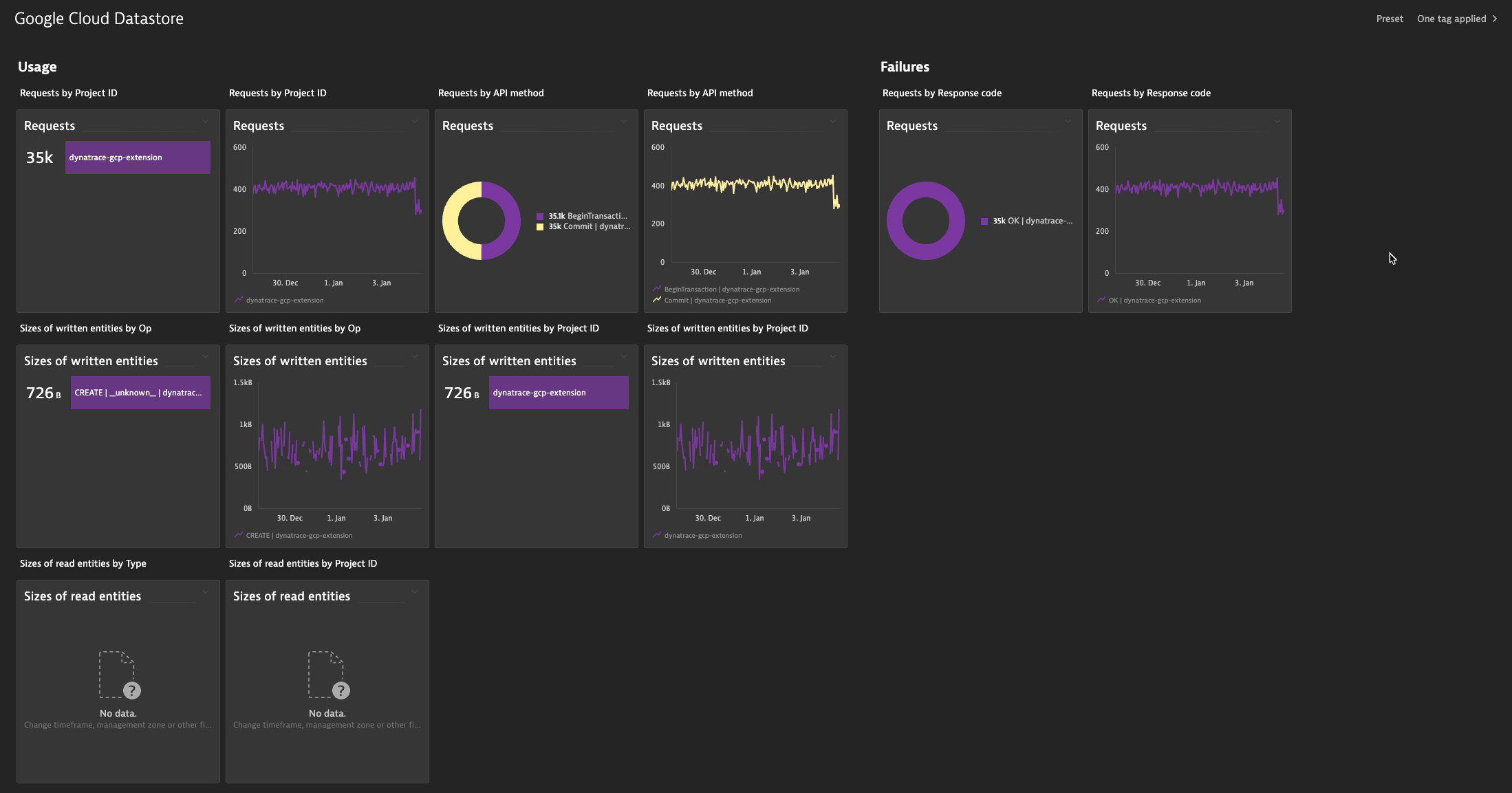
- Product information
- Release notes
Overview
This Dynatrace extension leverages data collected from the Google Operations API to constantly monitor health and performance of Google Firestore in Datastore mode services. This extension combines all relevant data into pre-configured dashboards and provides alerting and event tracking.
This is intended for users, who want to:
- enrich their monitoring data with metrics and logs from Google Operations API
This enables you to:
-
View and analyze 5 metrics that are specific to Google Firestore in Datastore mode, like Requests, Sizes of read entities, Sizes of written entities, and more.
-
Use dashboard presets for immediate visibility into availability, usage, and performance of your Google Firestore in Datastore mode services.
-
Build custom dashboards for your cloud infrastructure.
-
Analyze Google Firestore in Datastore mode logs.
-
Set custom alerts that trigger remediation workflows.
Google Firestore in Datastore mode metric and log ingestion requires advanced GCP integration.
Compatibility requirements
- Dynatrace GCP integration version 1.0.0+. To enable metric and log ingestion, see Dynatrace Documentation.
- Dynatrace version 1.230+
Details
Details
This extension package contains:
- Configuration for Google Datastore metrics ingest based on your selected feature set (see the full list of feature sets and metrics)
- Google Datastore preconfigured dashboard
To provide correlation and causation analysis all ingested metrics and logs are analyzed by the Dynatrace Davis AI engine, which consumes DDUs.
Get started
To add this extension to your environment:
- Follow the instructions detailed in Dynatrace Documentation.
- Ensure that you have GCP integration running in your environment and that Google Firestore in Datastore mode service is configured.
Following GCP integration and Google Firestore in Datastore mode configuration:
- The first data points will be ingested by Dynatrace Davis within ~5 minutes.
- Work with the Google Firestore in Datastore mode preconfigured dashboard to understand its capabilities.
- Explore Google Firestore in Datastore mode metrics in Data Explorer and create custom charts.
- Set custom events for alerting
Extension content
Content typeNumber of items included
metric metadata
7
dashboards
1
generic type
1
Feature sets
Below is a complete list of the feature sets provided in this version. To ensure a good fit for your needs, individual feature sets can be activated and deactivated by your administrator during configuration.
Feature setsNumber of metrics included
| Metric name | Metric key | Description | Unit |
|---|---|---|---|
| Requests | cloud.gcp.datastore_googleapis_com.api.request_count | - | Count |
| Sizes of read entities | cloud.gcp.datastore_googleapis_com.entity.read_sizes | - | Byte |
| TTL deletion count | cloud.gcp.datastore_googleapis_com.entity.ttl_deletion_count | - | Count |
| TTL expiration to deletion delays | cloud.gcp.datastore_googleapis_com.entity.ttl_expiration_to_deletion_delays | - | Second |
| Sizes of written entities | cloud.gcp.datastore_googleapis_com.entity.write_sizes | - | Byte |
| Index writes | cloud.gcp.datastore_googleapis_com.index.write_count | - | Count |
| Requests | cloud.gcp.firestore_googleapis_com.api.request_count | - | Count |
Full version history
To have more information on how to install the downloaded package, please follow the instructions on this page.
ReleaseDate
Full version history
Version 1.0.3
Updated
- Updated set of supported metrics
Full version history
Version 1.0.2
Updated
- Feature sets & metrics section in HUB Product Information page
Full version history
Version 1.0.1
Added
- Release notes to published extension
- Auto publishing extensions to Hub
Full version history
Support for GCP overview
Full version history
No release notes