


All
0 Results filtered by:

We couldn't find any results
You can search all listings, or try a different spelling or keyword. Still nothing? Dynatrace makes it easy to create custom apps.
 Citrix DaaS & Virtual Apps and Desktops
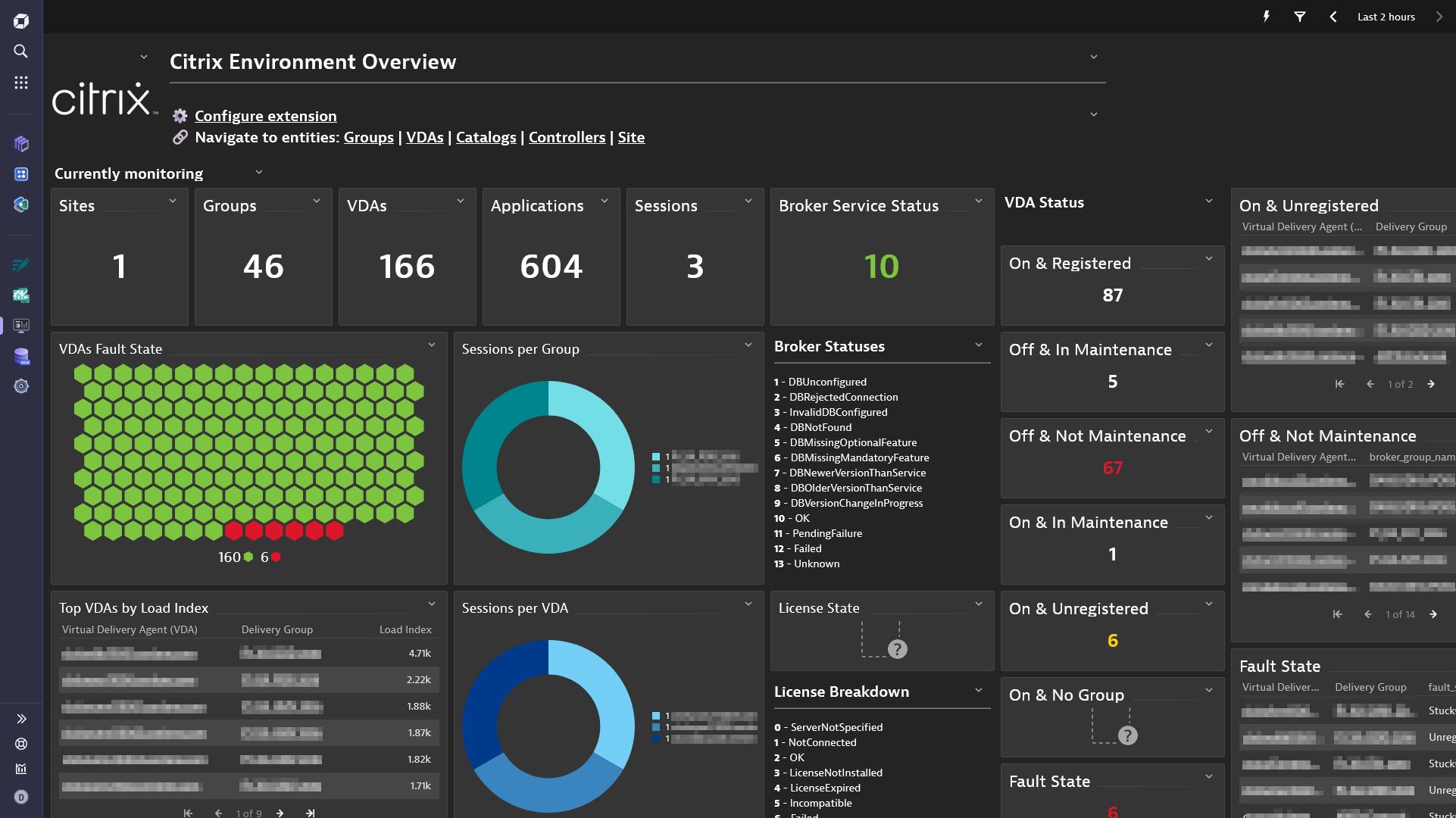
Gain insight into your Citrix DaaS & Virtual Apps and Desktops environments
ExtensionThe all-in-one Citrix DaaS & Citrix Virtual Apps and Desktops extensions allows you to monitor your Citrix environments.
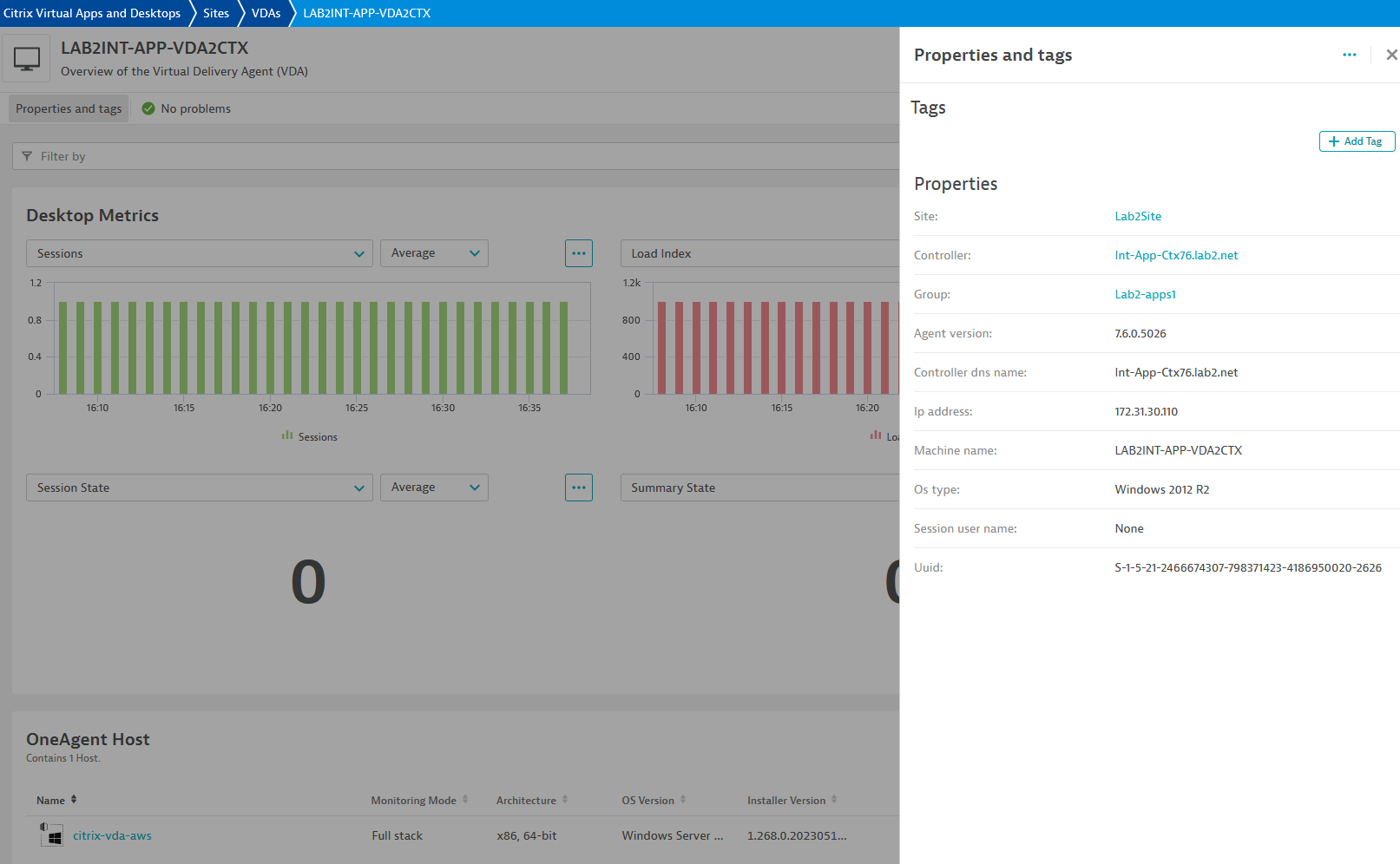
You can choose to have a holistic view of your Citrix site, monitor individual Virtual Delivery Agent (Citrix VDA) equipped machines or both.
The extension can be deployed from an OneAgent or an ActiveGate.
For more information on the installation and configuration, please see Citrix DaaS & Virtual Apps and Desktops extension in the Dynatrace Documentation.
7 2209.Below is a complete list of the feature sets provided in this version. To ensure a good fit for your needs, individual feature sets can be activated and deactivated by your administrator during configuration.
| Metric name | Metric key | Description | Unit |
|---|---|---|---|
| Assigned | citrix.broker_catalog.assigned | The number of assigned machines (machines that have been assigned to a user/users or a client name/address). | Count |
| Available | citrix.broker_catalog.available | The number of available machines (those not in any delivery group). | Count |
| Available Unassigned | citrix.broker_catalog.available_unassigned | The number of available machines (those not in any delivery group) that are not assigned to users. | Count |
| Unassigned | citrix.broker_catalog.unassigned | The number of unassigned machines (machines not assigned to users). | Count |
| Used | citrix.broker_catalog.used | The number of machines in the catalog that are in a delivery group. | Count |
| Metric name | Metric key | Description | Unit |
|---|---|---|---|
| Active Sessions | citrix.broker_site.licensed_sessions_active | The count of active licensed sessions | Count |
| Unique Users | citrix.broker_site.total_unique_license_users | The total count of license users | Count |
| License Model | citrix.broker_site.license_model | The licensing model in use. Values can be 0 - 'Concurrent' or 1 - 'UserDevice' | State |
| Broker Service Status | citrix.broker_site.service_status | Enables the status of the Broker Service on the controller to be determined. If the service has multiple data stores it will return the overall state as an aggregate of all the data store states. 1 - DBUnconfigured 2 - DBRejectedConnection 3 - InvalidDBConfigured 4 - DBNotFound 5 - DBMissingOptionalFeature 6 - DBMissingMandatoryFeature 7 - DBNewerVersionThanService 8 - DBOlderVersionThanService 9 - DBVersionChangeInProgress 10 - OK 11 - PendingFailure 12 - Failed 13 - Unknown | State |
| Metric name | Metric key | Description | Unit |
|---|---|---|---|
| VDAs Registered | citrix.broker_controller.desktops_registered | The number of VDA machines registered with the Broker service on the controller | Count |
| Licensing Server State | citrix.broker_controller.licensing_server_state | The licensing server state currently in effect in the Broker service on the controller ServerNotSpecified (0), NotConnected (1), OK (2), LicenseNotInstalled (3), LicenseExpired (4), Incompatible (5), Failed (6) | State |
| State | citrix.broker_controller.state | The state of the Broker service on the controller (0) Failed, (1) Off, (2) On, (3) Active. | State |
| Licensing Server Last Event Time | citrix.broker_controller.last_licensing_server_time | Time at which the last significant licensing server event was reported | Second |
| Active Services | citrix.broker_controller.active_services | The Broker site services active on the controller | Second |
| Metric name | Metric key | Description | Unit |
|---|---|---|---|
| Session State | citrix.broker_desktop.session_state | Valid values are null, Other, PreparingSession, Connected, Active, Disconnected, Reconnecting, NonBrokeredSession, and Unknown. Session properties are always null for multi-session machines. | State |
| Power State | citrix.broker_desktop.power_state | Gets machines with a specific power state. Valid values are Unmanaged (0), Unknown (1), Unavailable (2), Off (3), On (4), Suspended (5), TurningOn (6), TurningOff (7), Suspending (8), and Resuming (9). | State |
| Registration State | citrix.broker_desktop.registration_state | Gets machines in a specific registration state. Valid values are Unregistered (0), Initializing (1), Registered (2), and AgentError (3). | State |
| Summary State | citrix.broker_desktop.summary_state | Indicates the overall state of the desktop associated with the machine. The overall state is a result of other more specific states such as session state, registration state and power state. Possible values: Off (0), Unregistered (1), Available (2), Disconnected (3), InUse (4), Preparing (5). | State |
| In Maintenance Mode | citrix.broker_desktop.in_maintenance_mode | Denotes if the machine is in maintenance mode. | State |
| Sessions | citrix.broker_desktop.sessions | Count of number of sessions on the machine. | Count |
| Fault State | citrix.broker_desktop.fault_state | Summary state of any current fault state of the machine. Can be one of the following: (0) None - No fault; machine is healthy. (1) FailedToStart - Last power-on operation for machine failed. (2) StuckOnBoot - Machine does not seem to have booted following power on. (3) Unregistered - Machine has failed to register within expected period, or its registration has been rejected. (4) MaxCapacity - Machine is reporting itself at maximum capacity. | State |
| Load Index | citrix.broker_desktop.load_index | Gives current effective load index for multi-session machines | Percent |
| Load Indexes "Gives the last reported individual load indexes that were used in the calculation of the LoadIndex value. Note that the LoadIndex value may have been subsequently adjusted due to session brokering operations. This value is only set for multi-session machines" | citrix.broker_desktop.load_indexes | - | Percent |
| Metric name | Metric key | Description | Unit |
|---|---|---|---|
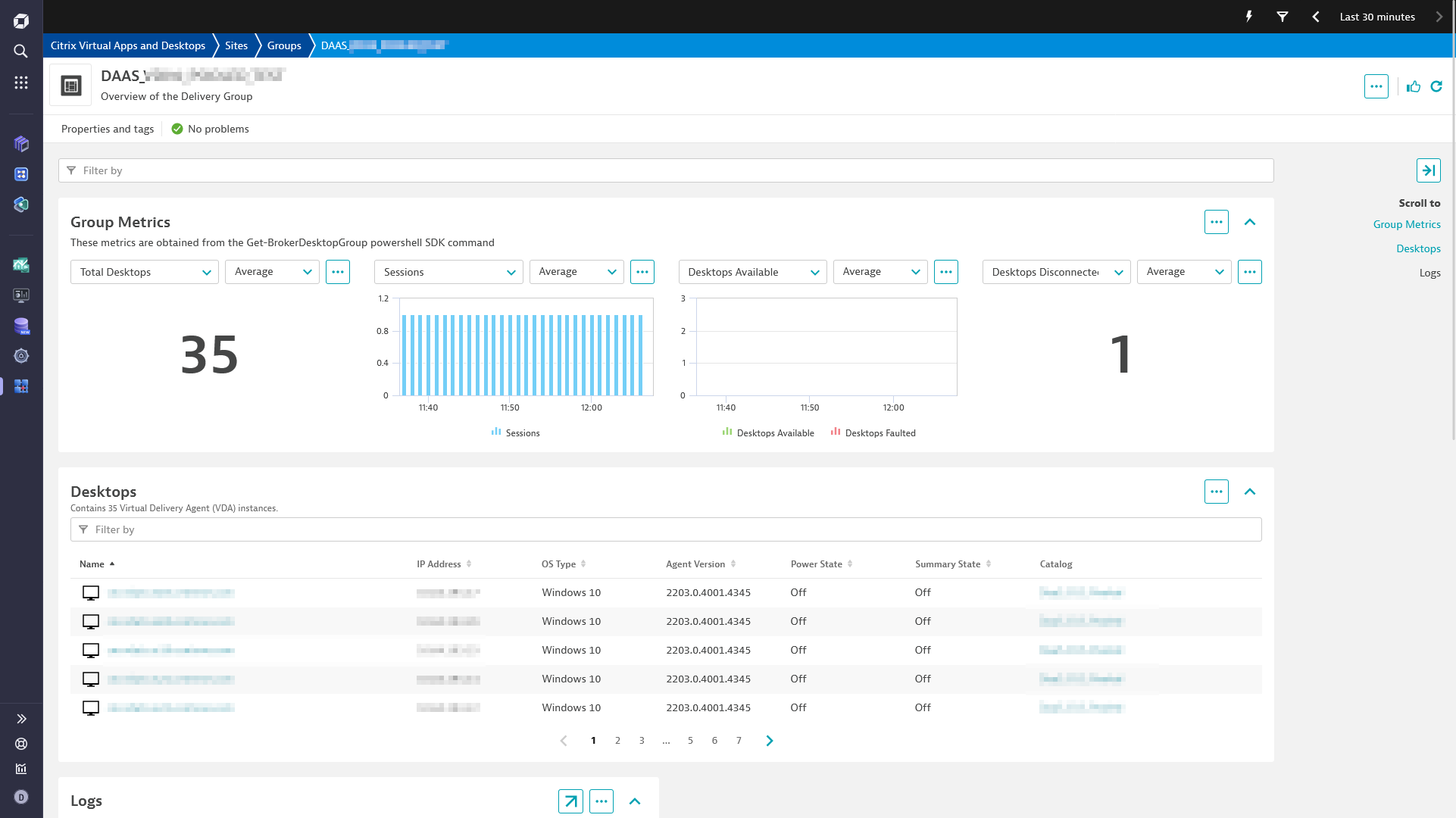
| Desktops Available | citrix.broker_group.desktops_available | The number of machines in the delivery group in state Available; this is the number of machines with no sessions present. | Count |
| Desktops Faulted | citrix.broker_group.desktops_faulted | The number of machines in the delivery group whose FaultState is not None. | Count |
| Desktops Preparing | citrix.broker_group.desktops_preparing | The number of machines in the delivery group whose PvD disk image is being prepared. | Count |
| Desktops Unregistered | citrix.broker_group.desktops_unregistered | The number of machines in the delivery group that are currently unregistered. | Count |
| Desktops In Use | citrix.broker_group.desktops_in_use | The number of machines in the delivery group in state InUse; this is the number of machines with at least one session present. | Count |
| Desktops Disconnected | citrix.broker_group.desktops_disconnected | The number of disconnected sessions present on machines in the delivery group. | Count |
| Desktops Total | citrix.broker_group.total_desktops | Total number of machines in the delivery group. | Count |
| Desktops Never Registered | citrix.broker_group.desktops_never_registered | The number of machines in the delivery group that have never registered with the current site | Count |
| Sessions | citrix.broker_group.sessions | The total number of user sessions currently running on all of the machines in the delivery group. | Count |
| Applications | citrix.broker_group.total_applications | Total number of applications associated with the delivery group. | Count |
| Application Groups | citrix.broker_group.total_application_groups | Total number of application groups associated with the delivery group. | Count |
dt.security_context attributeTemp folder in Powershell SDK mode is mandatory starting with OneAgent 1.303 and extension version 2.0.17 due to permission changes in the extension framework folders.citrix:hypervisorcitrix.hypervisor.fault_statecitrix.application.num_associated_delivery_groupshypervisor_id and hypervisor_name to the VDAsCALLS relationship between the VDA and the HypervisorThe extension can now remotely monitor Citrix DAAS, or a managed Citrix installation via the Citrix REST API.
Note: Monitoring configurations must be recreated because the extension can now optionally run from an Activegate.
Added the following dimensions to all VDA metrics:
in_maintenance_modesession_supportpower_statesession_stateregistration_statefault_stateAdded new tiles to the dashboard: